Showing posts with label features. Show all posts

October 14, 2014

New features: Glowing hotspot, Animated GIFs & iPhone 6 frames

1 New iPhone frames

We've just added 2 new iPhone frames to our frame gallery: iPhone 6 in black and white. We are working now on the iPhone 6 Plus frames, together with some other cool, more artistic, iPhone frames. If you want to be informed every time we add a new frame to our gallery, follow our Facebook Page.


2 Glowing hotspot

The hotspot can glow now, like in the demo above. In the hotspot's properties, you can configure how often should the hotspot glow (e.g. every 2 seconds). You do this using the "Glow Interval" slider (as showed in the screenshot on the left). By default, all hotspots are set to 0, which means "no glow". Apart from glowing, you can configure the colour of the hotspot and you can make it appear with a defined delay.


3 Animated GIF files

You can now add animated GIF files to your demo, using the "Add Image" control available on each screen. This is very useful if you want to add animated annotations, arrows, loading effects (like the one on the right) to your demo.

September 29, 2014

New Features: Change demo frame, Save properties & Revision history

1 Change demo frame

You can now change the demo frame by clicking the button "Change Frame" on "My Demos" page. With this new functionality we deprecated the "Copy with new frame" option. This functionality allows you to easily switch betweens white and black frames and to upgrade to a newer device frame (e.g. from iPhone 5 to iPhone 6). If you want to be informed every time we add a new frame to our gallery, follow our Facebook Page.


2 Save object properties

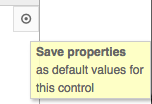
You can now save your favourite properties for an object (such as colour, text font and size, etc.) by clicking the button located in the top-right side in the object properties view (see the image on the left). This is a great feature if you want to make your annotations and arrows follow some design guidelines. For example, if you like your arrows to be blue and curved, just configure an arrow like this, press the "Save properties" button and all following arrows you will add in your demo will look like this one. This works even across demos.

3 Revision history

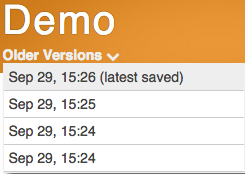
We enabled demo versioning, so you can now access the old versions of a demo while in the demo edit mode. You can navigate through the screens of an older version, preview it, but cannot edit it. Of course, if the older version is better than the current one, you can revert to this version by clicking the "Restore this version" button.

4 Better demo previews

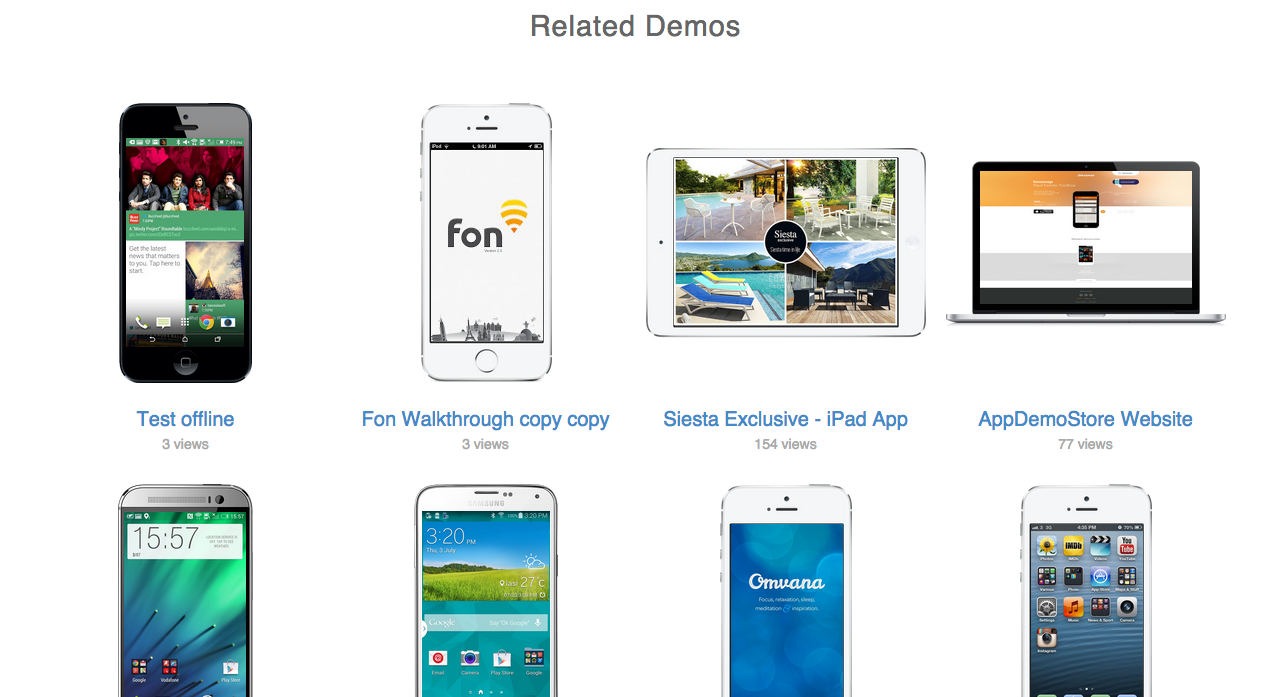
We improved the look of the "Related demos" section on the Demo Page. All thumbnails have now the frame included, so that your demos look sexier. The "Related demos" section includes all your public demos. Private and protected demos will not be listed here.

September 22, 2014

New Features: Multiple selection for copying objects, Object appearance delay & Better arrows

1 Object Appearance Delay

You can now add a time delay to an object, which allows you to make your object appear only after a specified number of seconds. For example, if you want an arrow to appear only after 5 seconds on a screen, just set up the property "Delay" of the object "Arrow" to 5 seconds. Have a look at the demo on the right - all the arrows in the demo appear with some delay.


2 Multiple Copy&Paste

You can now copy multiple objects and paste them on other screens of your demo. This is a great feature when you need to copy multiple hotspots that create the app navigation menu.

3 Better Arrows

You can now configure the arrows easier by using the new properties: "Curvature" and "Rotation". The "Curvature" defines the degree to which the arrow is curved. If you want a straight arrow, just set the "Curvature" to 0. The "Rotation" defines the angle to which the arrow is rotated. Moreover, you can now introduce your exact values for all the properties in the input fields next to each property slider.

4 Longer Timers

We extended the Timer to 5 minutes.